SHD Level Boost
Rewards
SHD Level Boost raises your SHD Level in The Division 2 by the number of levels you set on the slider, played by hand on your account. CarrySquad guarantees the SHD Levels you order. Loot that drops along the way follows the game’s rules.
- Main service target: your SHD Level, raised by the number of levels you choose: 10 to 1,000 per order, in steps of 10.
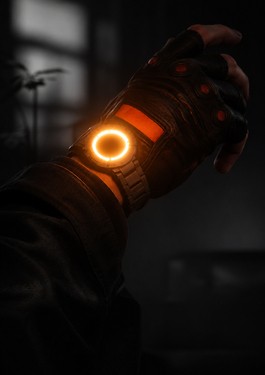
- Unlock: per Ubisoft Help, SHD Levels open once you complete the main story and reach Level 40, which unlocks Keener’s Watch.
- What SHD Levels do: they let you improve your attributes, such as offense, defense, utility, scavenging and miscellaneous. Your Gear Score is replaced by SHD Level progression.
- How levels are earned: by completing in-game activities, defeating enemies and progressing through the game.
- Account-wide: SHD Level progression is linked to your Ubisoft account and shared with your other characters once Keener’s Watch is activated. Hardcore characters keep their own SHD progression.
- Planning rule: in Conflict, Ubisoft removes SHD Watch bonuses for every player, so the levels pay off in PvE and the other modes.
| Reward | Type | Source | How it fits this product |
|---|---|---|---|
| SHD Levels | Account progression | Activities, enemy kills, progress | Guaranteed: the number of levels on the slider. |
| Attribute improvements | Offense, defense, utility, scavenging, miscellaneous | SHD Levels | Come with the levels. |
| Loot along the way | Gear and materials | Activities played for the levels | Follows the game’s rules; not a target. |
| Hardcore SHD progression | Separate progression | Hardcore Mode characters | Tell support before the start if your character is Hardcore. |
Not included: Expertise Levels, Grade or Prototype upgrades, or a specific loot item.
For item upgrades, add Expertise Leveling. For Prototype Gear, use Escalation Boost. For raid clears, use Raids and Incursions.
Description
The Division 2 SHD Level Boost
SHD Levels are The Division 2’s endless account progression. Per Ubisoft Help, SHD Levels open once you complete the main story and reach Level 40, which unlocks Keener’s Watch; from then on SHD Level progression replaces your Gear Score. To activate it, you open the SHD Level menu from the Skills section of your Inventory.
Every SHD Level lets you improve your attributes in five areas: offense, defense, utility, scavenging and miscellaneous. Levels come from the whole game, completing activities, defeating enemies and progressing, so the boost is a long grind that adds up across everything you play. Progression is linked to your Ubisoft account and shared with your other characters once Keener’s Watch is active. Hardcore characters share their own, separate SHD progression.
The slider sets how many levels you add, from 10 to 1,000 per order in steps of 10, priced per level. That makes it easy to buy a small top-up before an Escalation push or a raid, or a large block when you are catching up after a break. Orders are played by hand on your account; Play with our team is an optional add-on if you want to play along.
One limit to know: in Conflict, Ubisoft removes Expertise and SHD Watch bonuses for every agent, and in normalized PvP SHD Levels are normalized. The levels you buy pay off in PvE activities and the other modes.
What You Can Order
| Buyer goal | Best option path | Why it matters |
|---|---|---|
| Small top-up before harder content | Slider, from 10 levels | From $17, priced per level. |
| Catch up after a break | Slider, a larger block | Up to 1,000 levels in one order. |
| Stronger character overall | SHD Level Boost + Expertise Leveling | Expertise raises item Grades on top of your attributes. |
| Not at the unlock yet | Complete the main story and reach Level 40 first | SHD Levels open only after both, per Ubisoft Help. |
| Play along with our squad | Any amount + Play with our team | You play with our players instead of handing over the account. |
Reward Details
How SHD Levels work, per Ubisoft Help, and what that means for your order:
| Element | How it works (Ubisoft) | What it means for you |
|---|---|---|
| Unlock | Per Ubisoft Help, SHD Levels open once you complete the main story and reach Level 40, which unlocks Keener’s Watch. | Needed before the order starts. |
| Activation | Inventory, Skills section, padlock icon opens the SHD Level menu. | Our players can activate it if it is still locked. |
| Attributes | Improve offense, defense, utility, scavenging and miscellaneous. | The benefit you get from every level. |
| Account link | Linked to your Ubisoft account and shared with other characters once Keener’s Watch is active. | The levels carry over to your other regular characters once Keener’s Watch is active. |
| Hardcore | Hardcore Mode characters share their own SHD progression. | Tell support which progression to raise. |
| PvP | Conflict removes SHD Watch bonuses; normalized PvP normalizes SHD Levels. | The order pays off in PvE and other modes. |
Important Reward Rules
- Guaranteed: the number of SHD Levels you set on the slider, on your account.
- Chance: loot that drops while the levels are earned.
- Requirement: Level 40 and the main story completed, per Ubisoft Help. Warlords of New York is not required.
- Hardcore: a separate progression; tell support before the start if your character is Hardcore.
If you only need one specific reward, do not overbuy. For item Grades, use Expertise Leveling. For Prototype Gear, use Escalation Boost.
FAQ
When do SHD Levels unlock?
Per Ubisoft Help, SHD Levels open once you complete the main story and reach Level 40, which unlocks Keener’s Watch.
Do I need Warlords of New York?
No. Per Ubisoft’s Year 6 Season 1 notes, Keener’s Watch is awarded at Level 40 and no longer requires owning Warlords of New York.
Are SHD Levels shared between my characters?
Yes. Progression is linked to your Ubisoft account and shared with your other characters once Keener’s Watch is activated. Hardcore characters have their own.
Do SHD bonuses work in PvP?
Not in Conflict: Ubisoft removes SHD Watch bonuses there for every player. In normalized PvP, SHD Levels are normalized.
Is it safe for my account?
Sessions are played by hand, without bots or cheats. Standard orders are played on your account; Play with our team is an optional add-on to party up instead. Ubisoft’s terms restrict account sharing, so ask support before ordering if you have doubts.
How does the service work
CarrySquad’s services are designed to help players efficiently complete in-game feats, earn rewards, and progress faster without the grind. Once you place an order, you receive access to a personal Service Dashboard and a notification link via email.
A specialized coach is quickly assigned to your order and communicates directly with you through the dashboard chat. Your coach will play alongside you in your squad, helping you achieve your requested objectives while sharing professional tactics and insights. All sessions are completed 100% by hand, without any bots or cheats, and progress updates are provided in real time.
Key steps in the CarrySquad service workflow:
-
Coach Matching: After ordering, you’re matched with a professional coach who joins your Dashboard chat to coordinate the session.
-
Joint Execution: Your coach assists you in reaching your goals—whether it’s completing difficult feats, unlocking exclusive rewards, or reaching character, account, or activity progression goals through collaborative play.
-
Flexible Scheduling: The coach coordinates with your preferred playing schedule to ensure sessions happen when it’s most convenient for you.
-
Instant Notification: You’re notified immediately upon reaching your objectives through both the Dashboard and email.
-
Maximum Security: Your account remains entirely in your hands. Our service is focused on safe, professional guidance, and customer support is always available for any questions.
CarrySquad services are tailored for efficient, safe, and hands-on progress—helping players clear difficult feats, earn exclusive items, and enhance their in-game reputation with professional coaching tailored to the objective you selected.
Requirements
- The Division 2 on PC (Ubisoft Store, Steam or Epic Games Store), PlayStation 4 or PlayStation 5, or Xbox One or Xbox Series X|S.
- A Ubisoft account.
- Crossplay between PC, PlayStation and Xbox goes live on November 17, 2026, per Ubisoft. Until then, players on different platforms cannot squad together.
- Level 40 and the main story completed: per Ubisoft Help, that unlocks Keener’s Watch and SHD Levels. Warlords of New York is not required.
If you have questions
Feel free to ask any questions in our chat. We are glad to help you, and our Squad will always find you the best service and the deadliest gun for your Guardian!